
Meta Crawler and robots.txt: What to Set for AI Bots
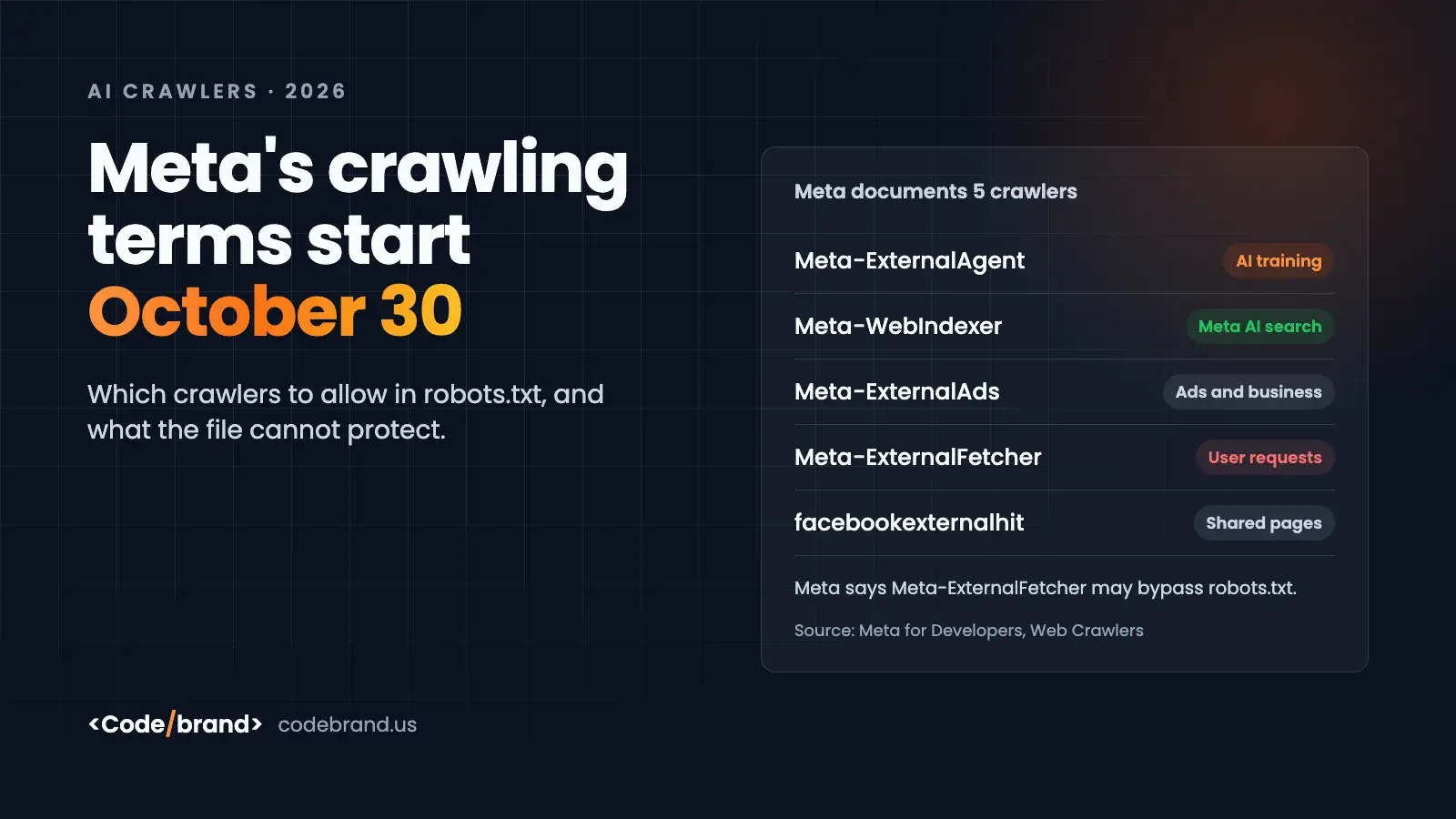
Meta's updated Commercial Terms let Meta crawl the web pages tied to a business's products or services, according to Meta's own terms preview. Meta says nothing changes in how its crawlers work and that site owners can still use robots.txt to state their preferences. The contract never mentions robots.txt, but it is the control Meta points to, so name each Meta crawler you allow or block in your robots.txt.
What Changes in Meta's Commercial Terms
The terms apply to business use of Meta's products. Search Engine Journal notes that this includes a company that manages a Facebook Page and never buys ads. The new paragraph lets Meta, or anyone acting for it, use crawlers to access, index, cache and collect the domains, pages and URLs associated with your products or services, and to pull updates from them periodically.
The wording changed during October:
- October 15. Nieman Lab first reported the clause, according to PPC Land. That version listed "train" among the purposes.
- By October 17. After pushback, Meta removed the word "train". The current preview limits the purposes to Meta's advertising and business products, plus the integrity and security of its products.
- October 30, 2026. The revised terms take effect, per Meta's terms preview.
Meta's Andy Stone wrote on X that there is no change to how Meta uses web crawlers and that content owners can use robots.txt to indicate their preferences. Meta also told Nieman Lab that the update gives it no new rights that supersede those preferences.
Search Engine Journal and The Next Web point out that the new language does not mention robots.txt and does not say Meta will respect it. In short, your contract with Meta changes and Meta says its crawling does not.
Which AI Crawlers Visit Your Website Today
The vendors below run separate bots for separate jobs. Training crawlers collect content that may train AI models. Search and answer crawlers index pages so an assistant can cite and link them. User fetchers open one page because a person asked the assistant to.
| Vendor | Training | Search and answers | User requests |
|---|---|---|---|
| Meta | Meta-ExternalAgent | Meta-WebIndexer | Meta-ExternalFetcher |
| OpenAI | GPTBot | OAI-SearchBot | ChatGPT-User |
Google-Extended (a control token, not a separate bot) | Googlebot | User triggered fetchers such as Google-Agent | |
| Anthropic | ClaudeBot | Claude-SearchBot | Claude-User |
| Perplexity | None listed | PerplexityBot | Perplexity-User |
| Apple | Applebot-Extended (a control token, not a separate bot) | Applebot | None listed |
What the vendors' own pages say:
- Meta documents five crawlers on its web crawlers page. Besides the three above,
Meta-ExternalAdscrawls for advertising and other business products, andfacebookexternalhitreads pages people share on Meta's apps. AllowingMeta-WebIndexerhelps Meta AI cite and link your content. - OpenAI treats
GPTBotandOAI-SearchBotas independent settings. Sites that blockOAI-SearchBotwill not be shown in ChatGPT search answers. - Google says
Google-Extendedcontrols use of your content to train future Gemini models and for grounding in Gemini Apps and Vertex AI, and does not affect inclusion or ranking in Google Search. To appear as a link in AI Overviews or AI Mode, a page must be indexed and eligible to show in Google Search with a snippet, soGooglebotis the crawler that counts there. - Anthropic lists three agents and says its bots honor robots.txt. Blocking
Claude-SearchBotmay reduce your visibility in Claude's search results. - Perplexity says
PerplexityBotsurfaces and links websites in its search results and is not used to crawl content for AI foundation models. - Apple says
Applebot-Extendeddoes not crawl. It only decides whether contentApplebotcrawled can train Apple's foundation models.
Block or Allow? A Decision Table by Business Type
The choice is per crawler. If you want AI assistants to describe your business and link to it, allow the search and answer crawlers. Training is a separate decision, and blocking it does not remove you from Google Search or ChatGPT search.
| Business type | Search and answer crawlers | Training crawlers | Why |
|---|---|---|---|
| Local service business (contractor, clinic, law office) | Allow | Allow, unless you have a reason not to | You want services, areas and contact details repeated accurately |
| Online store | Allow | Your call | Assistants need names, prices and stock to recommend products |
| B2B or professional services | Allow | Allow | Being cited when a buyer compares vendors is the goal |
| Publisher, course creator or paid research | Allow selectively | Consider blocking | Your content is the product you sell |
| Member area or client portal | Block private paths | Block private paths | Then add a login, because robots.txt is not a lock |
If you advertise on Meta or share links there, there is little reason to block Meta-ExternalAds or facebookexternalhit. If training is your concern, Meta-ExternalAgent is the crawler Meta documents for it. If being cited in Google's AI answers is your goal, read our guide on how to show up in Google AI Mode.
One rule matters. Under the robots.txt standard, RFC 9309, a crawler that finds a group naming it obeys that group and ignores User-agent: *, so repeat your private paths in every named group. Names are not case sensitive. This example blocks five training tokens and leaves everyone else on the default rules:
User-agent: GPTBot
User-agent: ClaudeBot
User-agent: Meta-ExternalAgent
User-agent: Google-Extended
User-agent: Applebot-Extended
Disallow: /

User-agent: *
Disallow: /admin/
Allow: /
How to Edit robots.txt in WordPress, Shopify and Custom Sites
The file lives at yourdomain.com/robots.txt. Open that address first to see what you have.
WordPress
WordPress generates a virtual robots.txt when the site root has no physical file. If you use Yoast SEO, go to Yoast SEO, then Tools, then File editor, and click Create robots.txt file. If that menu is missing, file editing is turned off on your install: turn it on, or upload the file to the site root by FTP. A physical file overrides the virtual one.
Shopify
Every Shopify store has a default robots.txt. To change it, go to Online Store, open the menu next to your theme, choose Edit code, then click Add a new template, select robots and click Create template. That adds robots.txt.liquid to your theme. Shopify recommends adding rules with Liquid so it can keep its defaults updated, and warns that incorrect use can result in loss of all traffic.
Custom sites, and what we changed on codebrand.us
On a custom site, robots.txt is usually a plain text file your framework serves as is. Ours is served by our Next.js site. We let AI crawlers in on purpose, because we want AI assistants to find and cite Codebrand. We recently checked the Google, OpenAI, Anthropic, Perplexity, Apple and Meta names in it against each of those vendors' documentation:
- Outdated Anthropic names. We listed
anthropic-aiandClaude-Web, which Anthropic's help page does not list. We replaced them withClaudeBot,Claude-SearchBotandClaude-User. - Missing search crawlers. We had
GPTBotbut notOAI-SearchBot, andApplebot-Extendedbut notApplebot, the crawler that actually fetches pages for Apple. We added both. - Only one Meta crawler. We added
Meta-WebIndexer,Meta-ExternalAds,Meta-ExternalFetcherandfacebookexternalhitnext toMeta-ExternalAgent. - A missing user fetcher. We added
Perplexity-Usernext toPerplexityBot. - An old Google name.
Googlebot-Mobileis not on Google's current crawler lists, so we removed it.Googlebotstays.
Every name still sits in one shared group with the same rules as our default group: the whole site is open except /api/ and /admin/. No crawler gained or lost access.
If you are planning a new website, settle these rules during the build, when technical SEO costs the least. Our website cost guide shows where that work fits in the budget.
What robots.txt Cannot Protect
robots.txt is a public request, not a lock:
- It does not enforce anything. RFC 9309 says its rules "are not a form of access authorization." Google says the file cannot enforce crawler behavior.
- It is public. Listing a private folder tells anyone where it is. Use a login instead.
- It does not remove pages from Google. Google says to use noindex or password protection for that.
- User requested fetches may skip it. OpenAI says robots.txt may not apply to
ChatGPT-User. Perplexity saysPerplexity-Usergenerally ignores it. Meta saysMeta-ExternalFetchermay bypass it. Google says its user triggered fetchers generally ignore it. - Meta keeps one more exception. Meta says
facebookexternalhitmight bypass robots.txt when it runs security or integrity checks. - It looks forward. Anthropic describes blocking
ClaudeBotas a signal that your future content should be excluded from training. - It covers only your website. What you post on Facebook or Instagram lives on Meta's servers, where your file has no say.
- It takes time. Meta says to allow up to 24 hours for changes. OpenAI says its search systems need about 24 hours.
Checklist for This Week
Use this list now. For the rest of your technical basics, see our SEO checklist for small businesses.
- Open yourdomain.com/robots.txt and read every line.
- Read the crawling paragraph in Meta's Commercial Terms preview.
- Decide crawler by crawler: search and answer, training, user fetchers.
- Replace outdated names such as
anthropic-aiandClaude-Web. - When you give a crawler its own group, copy your Disallow lines into it.
- Put private pages behind a login, and add noindex to pages that should stay out of search.
- In Google Search Console, check the robots.txt report for fetch errors, and request a recrawl after a critical change.
- Reread Meta's terms and crawler page after they take effect, since Meta already revised the terms once.
Frequently Asked Questions
Can Meta use my website to train AI under the new terms?
The revised terms no longer list training. Meta removed the word "train" and limited the crawling purposes to its advertising and business products and to integrity and security. Critics quoted by The Next Web say training is still not expressly ruled out. Separately, Meta documents Meta-ExternalAgent as a crawler for uses such as training foundation AI models. If you do not want that, disallow it in robots.txt, knowing the contract does not promise to honor the file.
Will blocking Meta's crawlers affect my Facebook or Instagram ads?
Meta's crawler page does not say how blocking affects ad delivery. It says Meta-ExternalAds crawls for advertising and business products, and facebookexternalhit reads pages people share on Meta's apps. If you advertise or share links on Meta, keep those two allowed. Block Meta-ExternalAgent only if AI training is your concern.
Does blocking GPTBot or Google-Extended remove my site from search?
No. OpenAI says GPTBot and OAI-SearchBot are independent settings, and sites that block OAI-SearchBot will not be shown in ChatGPT search answers. Google says Google-Extended does not affect inclusion in Google Search and is not a ranking signal. You can block training crawlers and stay visible in search, as long as the search crawlers stay allowed.
How long does a robots.txt change take to work?
Plan for up to a day. Meta asks site owners to allow up to 24 hours because its crawlers may cache the file, and OpenAI says its search systems take about 24 hours to adjust. The robots.txt standard says crawlers should not use a cached copy for more than 24 hours. You can also request a recrawl in Google Search Console.
Get a Technical SEO Audit
Codebrand is a software development company based in San Pedro Sula, Honduras. We work with US companies remotely, on Central Standard Time, with a bilingual team. Our technical SEO audit covers crawlability, indexing, XML sitemaps, canonical tags and structured data. Crawlability starts with the robots.txt rules this post covers. Every engagement is a fixed price proposal built from your budget.
Send us your domain, and we will check whether search engines can crawl and index your site properly. Request a technical SEO audit
Sources
- Meta: Commercial Terms, preview effective October 30, 2026
- Search Engine Journal: Meta Drops Training From Its Crawl Clause And Keeps The Crawl
- PPC Land: Meta's new terms let it crawl business websites to train AI from Oct 30
- The Next Web: Meta drops "train" from its website crawling terms after backlash
- Meta for Developers: Meta Web Crawlers
- OpenAI: Overview of OpenAI Crawlers
- Google Search Central: Google's common crawlers
- Google Search Central: Google User Triggered Fetchers
- Google Search Central: AI Features and Your Website
- Claude Help Center: Does Anthropic crawl data from the web, and how can site owners block the crawler?
- Perplexity: Perplexity Crawlers
- Apple Support: About Applebot
- IETF: RFC 9309, Robots Exclusion Protocol
- Yoast: The robots.txt file in Yoast SEO
- Shopify Help Center: Editing robots.txt.liquid
- Google Search Central: Google's special case crawlers
- Google Search Central: Robots.txt Introduction and Guide
- Google Search Console Help: robots.txt report
- robots.txt
- meta
- ai crawlers
- technical seo
- ai search

Ramón Nuila
Software Engineer & Founder · Full Stack Developer, UX/UI designer, and digital strategist.
ProfileDo you want to read more articles?
Visit our blog to explore more content on web development, design, and digital marketing.
Read more articlesRelated Articles
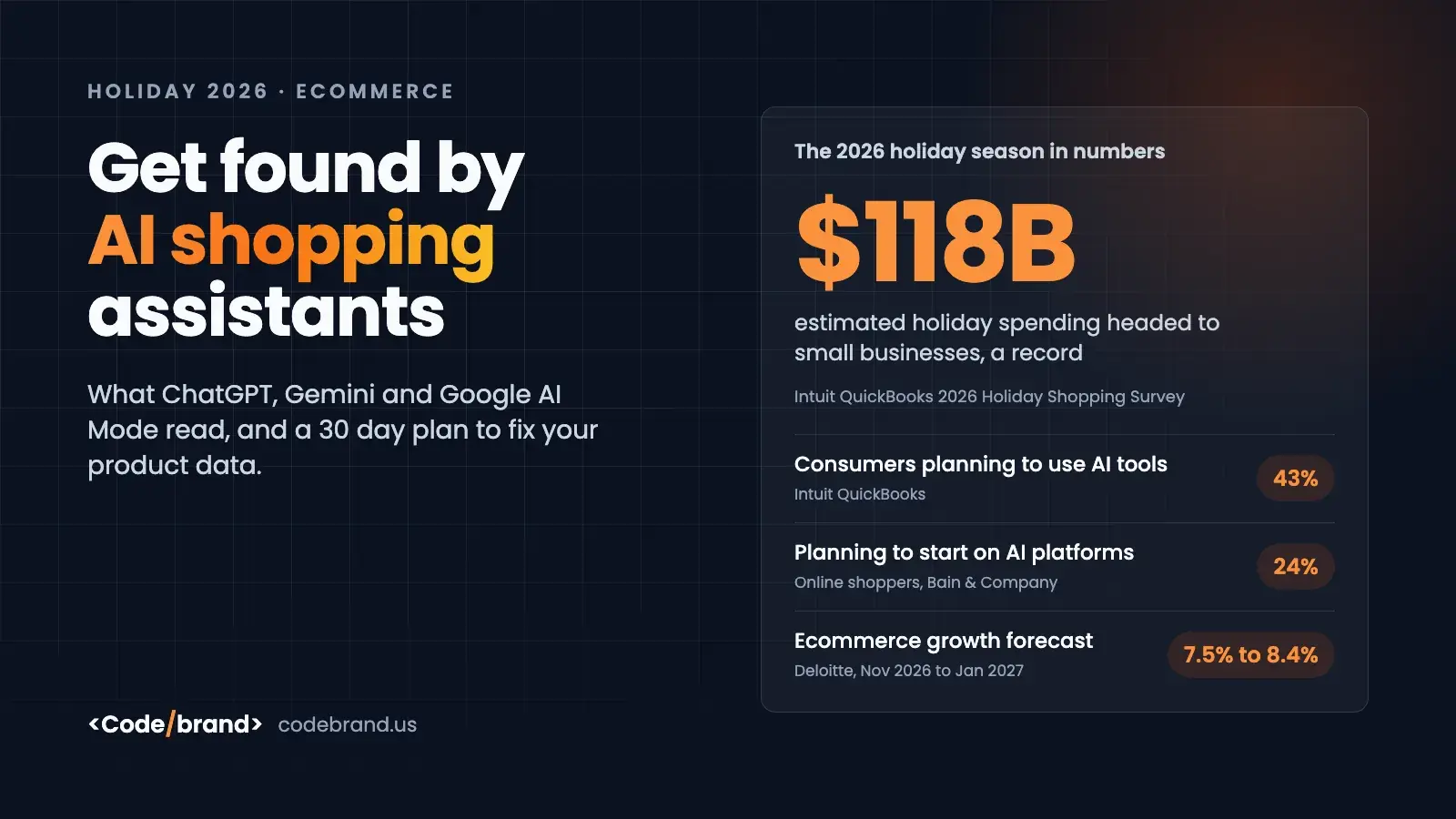
How Small Businesses Get Found by AI Shopping Assistants
QuickBooks estimates a record $118 billion in holiday spending will go to small businesses. Here is how to get your store seen by ChatGPT, Gemini and AI Mode.
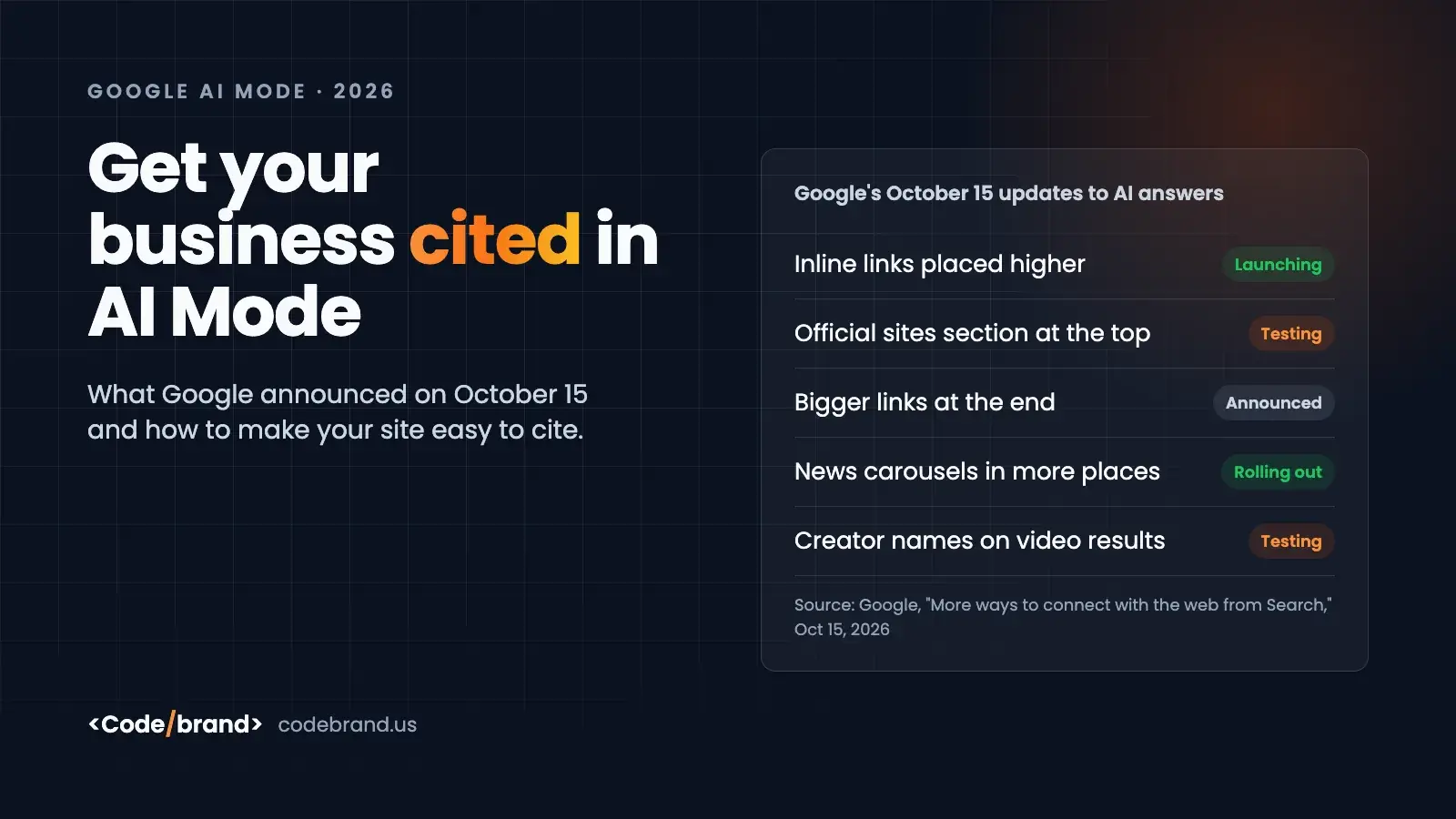
Google AI Mode Now Shows More Links: Get Your Site Cited
Google is adding more links inside AI Mode and AI Overviews. Learn what Google says helps pages get cited, how to structure your site and how to measure it.

Why Contractors Can't Scale: The Construction Marketing Gap
Why most construction companies fail to scale: referrals alone stall growth. See the data on SEO, website speed, reviews and AI, plus a roadmap for contractors.
Want this done for your business?
Tell us the goal and the budget you have. You get a fixed-price proposal within 24 hours.